
ADVERTISEMENT FEATURE
Don’t tempt fate by delaying saving your data, says Terry Williams.
Data backup is one of the most important jobs any computer owner and user can do. Unfortunately computers are prone to doing things that can cause you to lose data. It must be remembered that for most people the data on the PC is far more valuable that the PC itself.
Data is basically any work you may have on your computer: emails, pictures, music, letters, accounts, databases, spread sheets, design work, school projects etc. The value of this data varies and, if lost, the results may range from being inconvenient to catastrophic.
The causes of data loss vary from user errors (eg accidentally formatting the wrong drive), virus attack, and operating system issues through to mechanical failure.
The first area to cover is the simple loss of the piece of work you are doing, such as a letter or advert design.
You may experience a sudden power cut or the PC may freeze and lock you out, leaving you no choice but to press the Ctrl/Alt/Del keys or if that fails, reset the computer.
Some programs may restore the lost document for you, but many will not. The simple answer is to make sure you regularly click on the save button or better still, set up the auto save facility, if the application has one. It can be very frustrating to work on a document for hours only to see it vanish.
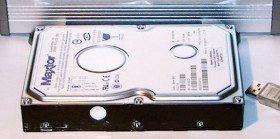
The biggest threat to any computer is the risk of hard drive failure. Hard drives spinning at 7200RPM can fail at any time and no comfort should be taken due to it being new.
Drives can fail soon after installation due to heat and mechanical failure and, if they last the first three months, will probably give a good life of three years or more.
The telltale signs of impending failure can be knocking noises, continual PC lock ups, booting up problems, excessive heat, scandisk running at boot, and error messages.
Most hard drive manufacturers offer diagnostic tools on their websites to check the state of the drive.
There are many ways to protect yourself from the loss of your valuable data. Firstly it is a good idea to be organized in how and where you store your data on the hard drive.
This makes it easier to find and back up. Most modern PCs are fitted with CD-RW or DVD-RW drives. It is simple to save data to either of these with the DVDs allowing for more bulky items.
Also there are a host of other removable devices such as USB2 pen drives, memory cards, zip drives etc. that can be used for small amounts of data. The installing of a second hard drive inside the PC will allow easy transfer of data from the primary to secondary.
There are software utilities available that will facilitate this procedure automatically. Also internal or external tape drives can be used to store bulk data again using automated software.
Some anti-virus packages offer automatic backups to a remote server for your key documents over the Internet. These products start from just £15.
My favorite method is to use external hard drives. These are connected via the USB ports and can hold all your data including loads of music, pictures, video that can take up hundreds of gigabytes of space.
Once you have done the backup, the external hard drive can be put in a safe place and connected to most PCs. The empty caddies cost £25 and you can fit any capacity hard drive inside.
Also remember to back up your mobile phone and PDA devices. These devices can hold lots of data and are easily lost, stolen or broken.
If your hard drive does fail there are specialist companies who can recover your data, but it will cost hundreds of pounds with no guarantee of success.
Backing up data is a boring job that we all tend to put off till tomorrow. It is certain that your hard drive will stop turning or fail at some point – just make sure you are ready.
Terry Williams is Managing Director of Lickey End-based Shepley Computers & CCTV.
If you have any computer-related questions you would like him to answer in future columns, please email them to: (JavaScript must be enabled to view this email address)
For more information on CCTV and PCs and links to related sites, see: https://www.shepleydirect.co.uk
